SSH
Connect any server over SSH and run agents right where your code lives
Paste a host and a password or key into Pocket. We SSH in once, install a tiny outbound-only agent and forget your credentials. No container, no VPN, no open ports.
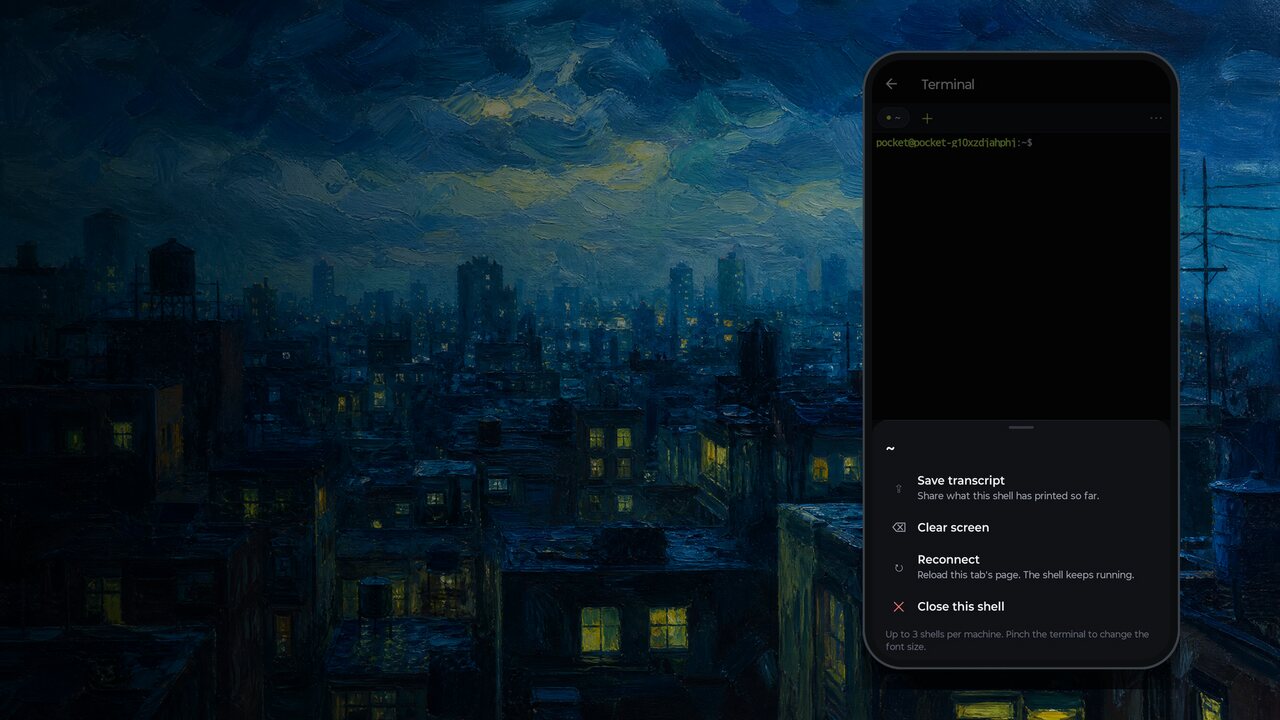
Not every workload belongs in our cloud. Your database is on a VPS, the GPU is in the office, production logs live on a box you have had for five years. Now you can point Pocket at that server from your phone and the agents run *there*, with its files, its tools and its network, without the Pocket container at all.
Two taps from the menu
The menu opens with shortcuts: Connect GitHub, Connect a server and Automations. *Connect a server* asks for a host, port, user, and a password or private key (you can pick the key file straight from your phone).
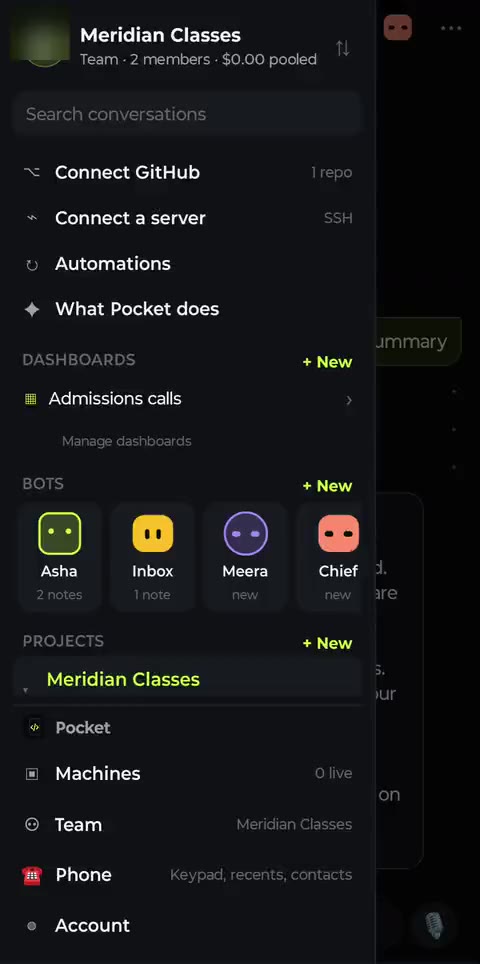
Shortcuts and your dashboards at the top of the menu
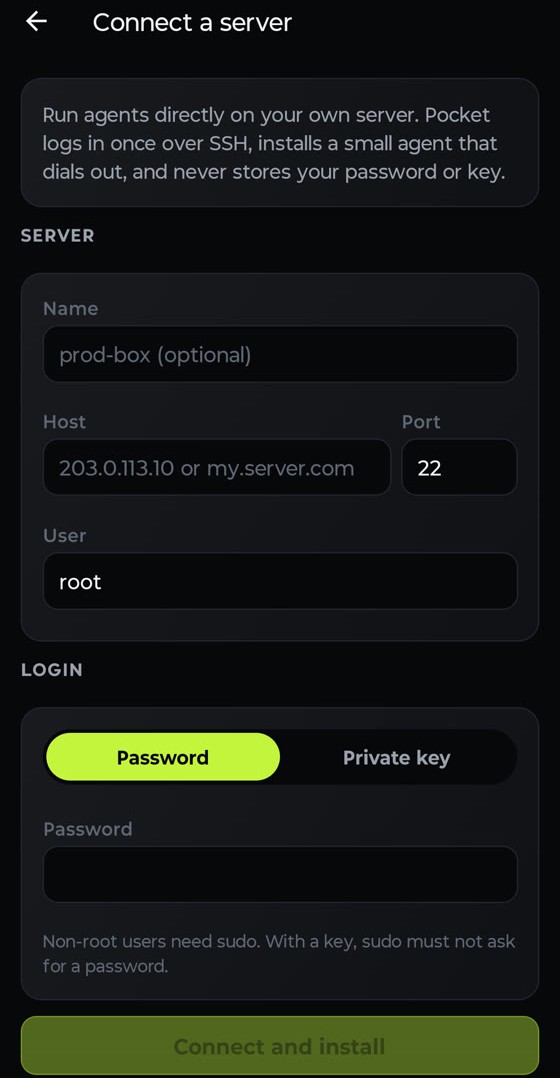
Host, user, password or key
What happens when you tap Connect
- Our control plane opens one SSH session. Private, loopback and cloud-metadata addresses are refused.
- It downloads the installer, which is the same one-line script you could run yourself, and runs it with sudo. It installs Node, git, ffmpeg and the Pocket agent as a systemd service.
- The agent dials out to our relay over TLS. No inbound ports, no VPN, and firewalls stay as they are.
- The session closes and the password or key is discarded. It is never written to a database or a log.
Why no container
On our cloud machines, every project gets an isolated container. On your server, that would just get in the way: the point is to use *that* machine's Postgres, *that* CUDA install, *that* .env. So agents on a connected server run as the user you logged in with, in the folders you pick. Permission modes still apply: in Agent mode risky commands wait for your tap.
Everything else works the same: dashboards, phone control, and routines. Your server just became another machine in your pocket.